Pinterest can be an incredible place to build visibility for an online business.
But there is one mistake I see beginners make over and over again:
They focus so heavily on creating Pinterest pins that they forget to build something behind those pins.
Pinterest can help people discover you.
Your website is where you can begin turning that discovery into something more.
A reader.
An email subscriber.
A customer.
A digital product sale.
An affiliate click.
Or someone who comes back to your brand again and again.
That is exactly why having your own website became such an important part of the way I approached building Bailey on the Daily.
And if you are thinking about using Pinterest to grow a blog, digital-product business, affiliate site, service business, or online brand, Hostinger can give you a practical foundation to build on.
Pinterest Is the Traffic Source — Your Website Is the Business Asset
One of the most important mindset shifts I made was realizing that Pinterest and a website serve two very different purposes.
Pinterest helps with discovery.
Your website helps with conversion and ownership.
Imagine someone searches Pinterest for:
- Pinterest marketing tips
- Canva tutorials
- digital product ideas
- side hustle ideas
- blogging tips
- work-from-home resources
They discover one of your pins.
They click it.
Where do you want them to go?
If you send them to a helpful article on your own website, you have an opportunity to introduce your brand, recommend another article, offer a free resource, collect an email address, or introduce a product.
That is far more powerful than simply collecting impressions on Pinterest.
Your website becomes the central hub for everything you’re building.
Why I Like Hostinger for This Type of Business
For someone starting an online business, the technical side can become overwhelming very quickly.
Domains.
Hosting.
WordPress.
SSL.
Backups.
Website speed.
Email.
Security.
Plugins.
It can feel like you need an IT degree before you ever publish your first blog post.
That is one reason Hostinger can be appealing to beginners: it bundles many of the pieces needed to launch and maintain a website.
Hostinger currently offers WordPress hosting with tools including website-building features, SSL, backups, CDN functionality, AI tools, and support depending on the hosting plan you select. Some plans also include a domain for the first year and email mailboxes.
Instead of piecing together five different services on your first day, you can start with one central hosting environment and build from there.
1. You Can Build Your Own Home on the Internet
Pinterest is valuable.
Instagram can be valuable.
TikTok can be valuable.
Facebook can be valuable.
But those platforms don’t belong to you.
Algorithms change.
Reach changes.
Features disappear.
Accounts can be restricted.
Your website gives your business a home that you control.
With WordPress hosting through Hostinger, you can create pages for your:
Blog
Digital products
About page
Email signup
Affiliate recommendations
Services
Product reviews
Pinterest landing pages
That means your Pinterest strategy isn’t completely dependent on what happens inside Pinterest.
Pinterest becomes the vehicle bringing people to an asset you are building for yourself.
2. Hostinger Makes WordPress More Approachable
WordPress is powerful because it gives you a huge amount of flexibility.
But that flexibility can also intimidate someone who has never built a website.
Hostinger currently offers an AI Website Builder for WordPress that can create an initial site from a description of your business. It can be used with WordPress and supports editing through Elementor or the WordPress block editor, depending on the setup.
That can shorten the distance between:
“I want to start a website.”
and
“My website is actually online.”
You still need to make the website yours.
Your branding matters.
Your messaging matters.
Your content matters.
Your customer journey matters.
But having technology help with the initial setup can make starting much less intimidating.
3. Blogging and Pinterest Work Extremely Well Together
This is one of the biggest reasons I wanted a website behind my Pinterest strategy.
One blog article can become multiple Pinterest pins.
For example, imagine you publish:
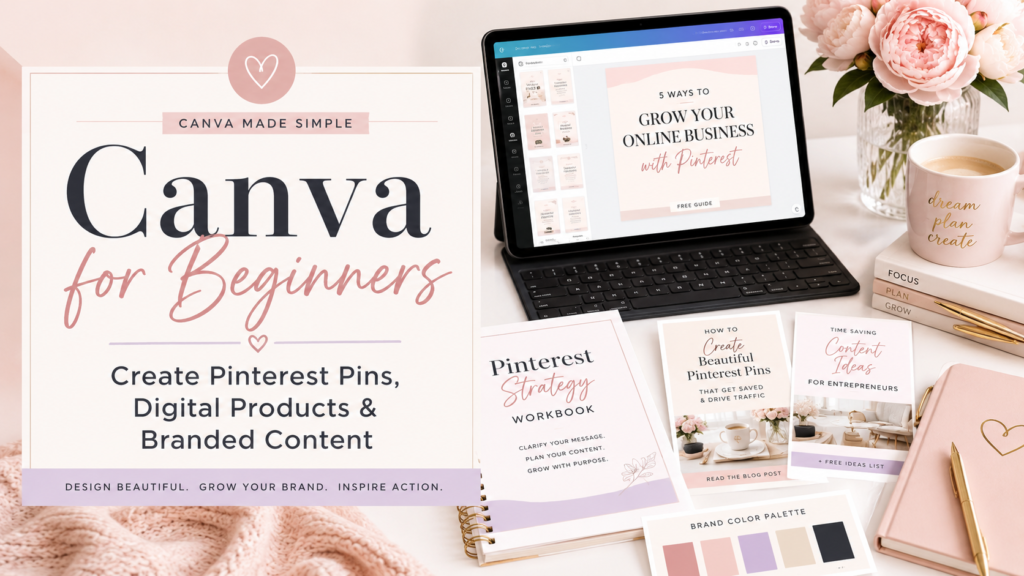
Canva for Beginners: How to Create Pinterest Pins and Digital Products
You don’t have to create one pin and move on.
You could create pins around:
Canva Tutorial for Beginners
How to Create Pinterest Pins in Canva
Canva Digital Products
Canva Tips for Small Business
Each pin can lead back to the same high-quality article.
Now one blog post has multiple opportunities to be discovered through Pinterest search.
And the article continues living on your website long after you publish it.
That creates a content system rather than a constant race to come up with something new.
4. You Can Turn Pinterest Visitors Into Email Subscribers
Pinterest traffic by itself is useful.
Pinterest traffic combined with an email list is much more powerful.
Think about the difference.
Someone sees your pin.
They visit your site.
They read your article.
Then they disappear.
You may never see that person again.
But now imagine they reach that same article and see:
Get My Free Pinterest Starter Pack
They enter their email address and download your resource.
Pinterest brought you the visitor.
Your website captured the lead.
Your email system gives you a way to continue the relationship.
That is how a simple Pinterest pin can become part of a much larger marketing funnel.
The funnel can look like this:
Pinterest Pin → Blog Article → Free Resource → Email Subscriber → Helpful Emails → Product or Affiliate Recommendation
That’s an actual business system.
Not simply content creation.
5. You Can Sell Digital Products From Your Website
Pinterest is especially interesting for creators because people use it to search for solutions and ideas.
That creates opportunities for digital products such as:
- workbooks
- planners
- templates
- checklists
- printables
- guides
- ebooks
- business resources
- Canva templates
- Pinterest resources
Instead of sending every potential customer to a marketplace, your website can become part of your sales process.
For example:
Someone searches Pinterest for Pinterest marketing for beginners.
They discover your pin.
They read your free article.
They download your free Pinterest guide.
Later, they discover that you also offer a more complete paid workbook.
That journey feels natural because the paid offer solves the next problem.
Your website gives you space to create that journey.
6. Website Speed Matters More Than People Realize
Pinterest users are often browsing quickly—especially on their phones.
If someone taps a pin and your website takes forever to load, they may leave before they ever see your content.
Hostinger says its managed WordPress environment uses LiteSpeed infrastructure, caching, image optimization and other performance tools, and it advertises a 99.9% uptime guarantee for its hosting.
No hosting provider can compensate for an overloaded or poorly designed website, so you still need to optimize images, plugins, layouts and content.
But starting with hosting built around WordPress performance gives you a stronger foundation.
7. SSL and Security Are Already Part of the Conversation
If you are asking someone to:
Sign up for your email list.
Purchase something.
Fill out a form.
Download something.
Or trust your recommendations.
Your website needs to look legitimate and secure.
Hostinger currently includes SSL with its web-hosting offerings and also provides security features such as DDoS protection, firewall tools, automatic WordPress updates, and backups depending on the product and plan.
For a beginner, having these tools integrated into the hosting environment can eliminate several technical hurdles.
8. Backups Can Save You From a Very Bad Day
If you’ve ever spent hours designing a website, you already understand how terrifying it would be to lose it.
Mistakes happen.
Plugins conflict.
Updates cause problems.
You change something and suddenly the site doesn’t look anything like it did yesterday.
Hostinger offers automatic backup and restore functionality, with backup frequency depending on the hosting plan.
That may sound like a boring hosting feature.
Until the day you need it.
Then it becomes one of your favorite features.
9. Your Website Makes Your Pinterest Brand Look More Established
Think about these two experiences.
Option A
Someone discovers your Pinterest profile.
They click a pin.
It goes somewhere unrelated to your brand.
They click another.
It goes somewhere completely different.
There’s no consistent home connecting everything.
Option B
Someone discovers your Pinterest profile.
They visit your website.
They see your logo.
Your colors.
Your message.
Your articles.
Your free resources.
Your story.
Your products.
Your recommendations.
Suddenly, you aren’t simply another Pinterest account.
You have a brand.
Consistency builds recognition.
Recognition helps build trust.
And trust is one of the most valuable assets you can develop online.
10. You Can Create Multiple Income Streams From One Website
This is where having your own site becomes especially interesting.
A Pinterest-driven website doesn’t have to depend on one revenue source.
Eventually, your site could include:
Digital product income
Sell your own guides, templates, planners or workbooks.
Affiliate income
Recommend tools or products that genuinely help your audience and earn a commission when applicable.
Email marketing
Use your list to promote your content and offers.
Sponsored content
As your audience grows, companies may eventually pay for exposure.
Services
Offer consulting, coaching, freelance services or another expertise-based offer.
Advertising
A sufficiently established content site may eventually qualify for advertising opportunities.
You don’t need to build all of those at once.
In fact, you probably shouldn’t.
But your website gives you room to add income streams over time.
11. Hostinger Can Grow With You
Your first website doesn’t need to be complicated.
You might begin with:
Home.
About.
Blog.
Free Resource.
One product.
That’s enough.
Later you might add:
More articles.
More lead magnets.
More products.
Affiliate content.
Email funnels.
Landing pages.
Ecommerce.
Hostinger supports both WordPress and ecommerce capabilities across its hosting offerings, so a site can evolve as the business becomes more sophisticated.
That matters because the website you need on day one probably won’t be the website you need two years from now.
How I Would Start a Pinterest Business With Hostinger
If I were beginning from scratch, I wouldn’t try to build everything at once.
I’d build this:
Step 1: Choose your business topic
Decide what you want people to know you for.
Step 2: Create your website
Set up your domain, hosting and WordPress installation.
Step 3: Build your essential pages
Start with:
Home
About
Blog
Contact
Privacy Policy
Step 4: Create one genuinely useful free resource
Solve one small problem for your audience.
Step 5: Start your email list
Give visitors a reason to stay connected.
Step 6: Publish helpful blog content
Answer questions people are already searching for.
Step 7: Create multiple Pinterest pins for every article
Don’t rely on one design.
Test different:
Keywords.
Headlines.
Images.
Layouts.
Hooks.
Step 8: Send Pinterest traffic to your site
Now you are building more than Pinterest views.
You’re building an audience and an asset.
You Do Not Need to Be a Web Designer
This may be the most important part.
You do not need to know everything before you begin.
You don’t have to understand every WordPress setting.
You don’t have to know advanced SEO.
You don’t need 50 blog posts.
You don’t need 100 products.
And you definitely don’t need a perfect website.
Start with something useful.
Then improve it.
Build one page.
Write one article.
Create one free resource.
Design one pin.
Learn what happens.
Then make the next one better.
That is how online businesses are actually built.
Is Hostinger Necessary to Succeed on Pinterest?
No.
And I think that’s important to say.
You can use Pinterest without Hostinger.
You can also build a website with many different hosting companies.
The real strategy is not:
“You need Hostinger to succeed on Pinterest.”
The strategy is:
Use Pinterest to generate discovery, then build an online asset you actually control.
Hostinger happens to provide a beginner-friendly way to create that website infrastructure.
That is where the value is.
Final Thoughts
When people talk about starting a Pinterest business, it’s easy to focus entirely on pins.
Pin design matters.
Pinterest SEO matters.
Keywords matter.
Consistency matters.
But the pin is only the beginning.
The bigger opportunity is what happens after someone clicks.
Where do they land?
What do they learn?
Can they join your email list?
Can they discover another article?
Can you help them solve another problem?
Can they purchase something that genuinely helps them?
That is why I believe building a website alongside Pinterest can be such a powerful combination.
Pinterest helps people find you.
Your website gives them a reason to stay.
And over time, that combination can help you build something much bigger than a Pinterest account.
It can help you build a business.
Ready to Build Your Online Business?
If you’ve been thinking about starting a website but keep putting it off because the technical side feels overwhelming, start small. Build your home online, publish your first helpful article, and give Pinterest somewhere meaningful to send your future audience.
Your first website doesn’t have to be perfect. It just has to be started.